

How to Transfer Hierarchies from TM1 to Power BI
Preserve TM1 Hierarchies Without Manual Restructuring


How TMVGate Transfers TM1 Hierarchies into Power BI with Just a Few Clicks
In this article we will showcase how to transfer hierarchies from TM1 to Power BI with the help of our TM1 to Power BI connector, TMVGate. We will show you how to bypass the cumbersome restructuring process, enabling a direct and efficient transfer of hierarchical data from TM1 to Power BI. The demonstration will highlight how TMVGate respects the original complexity and integrity of your TM1 data, eliminating the need for potentially compromising data transformations.
Demo
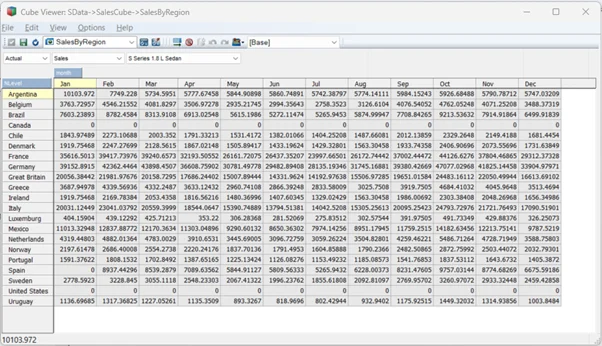
Assuming that we have already loaded our data into Power BI using TMVGate, our TM1 to BI tools connector, below should be what we see in Power BI.
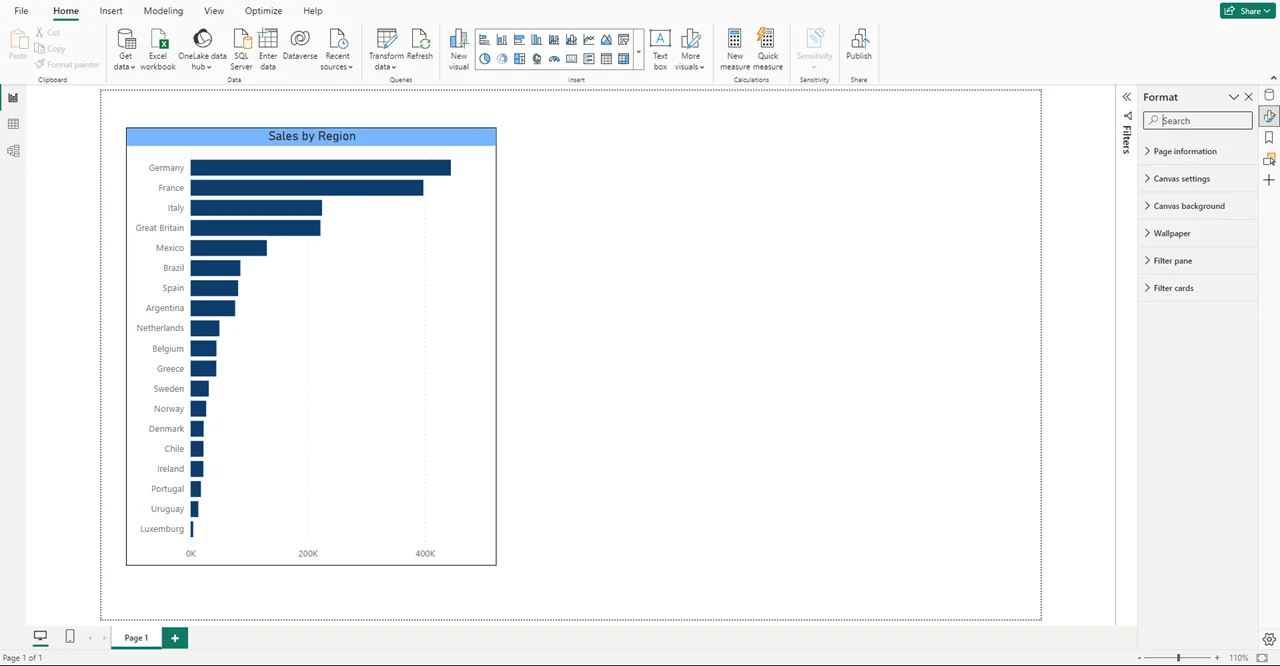
Above is a visualization of sales value by region.
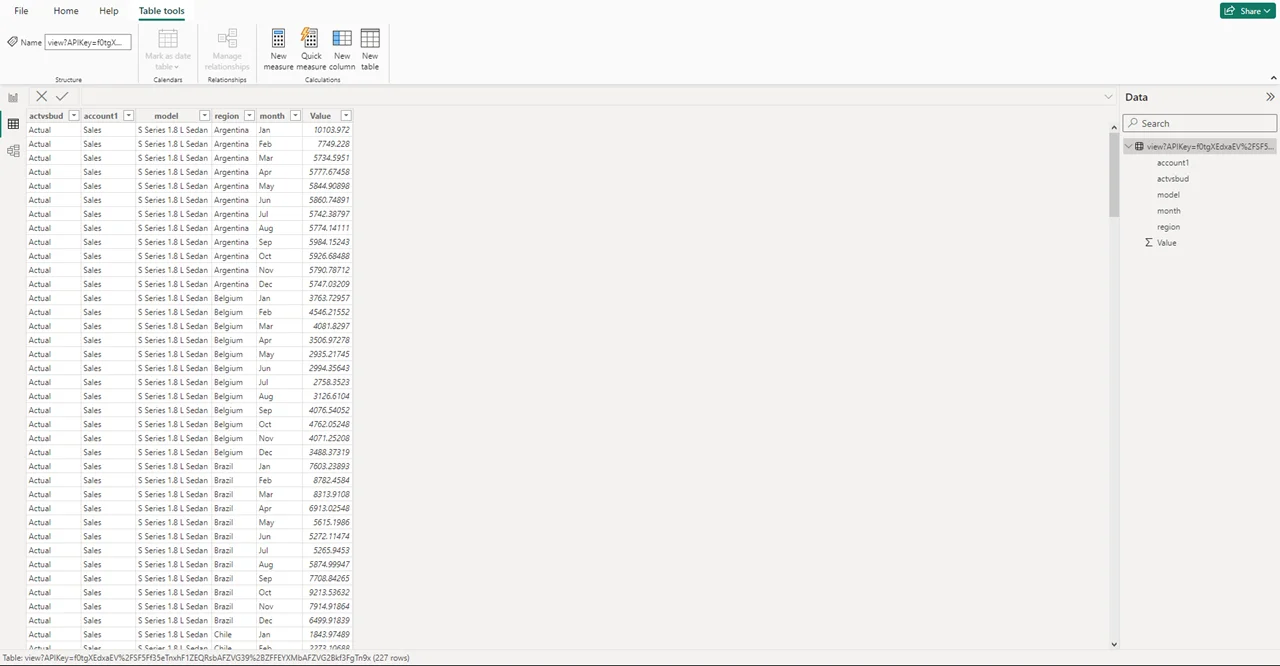
As we can see, the value has been loaded in the table view.
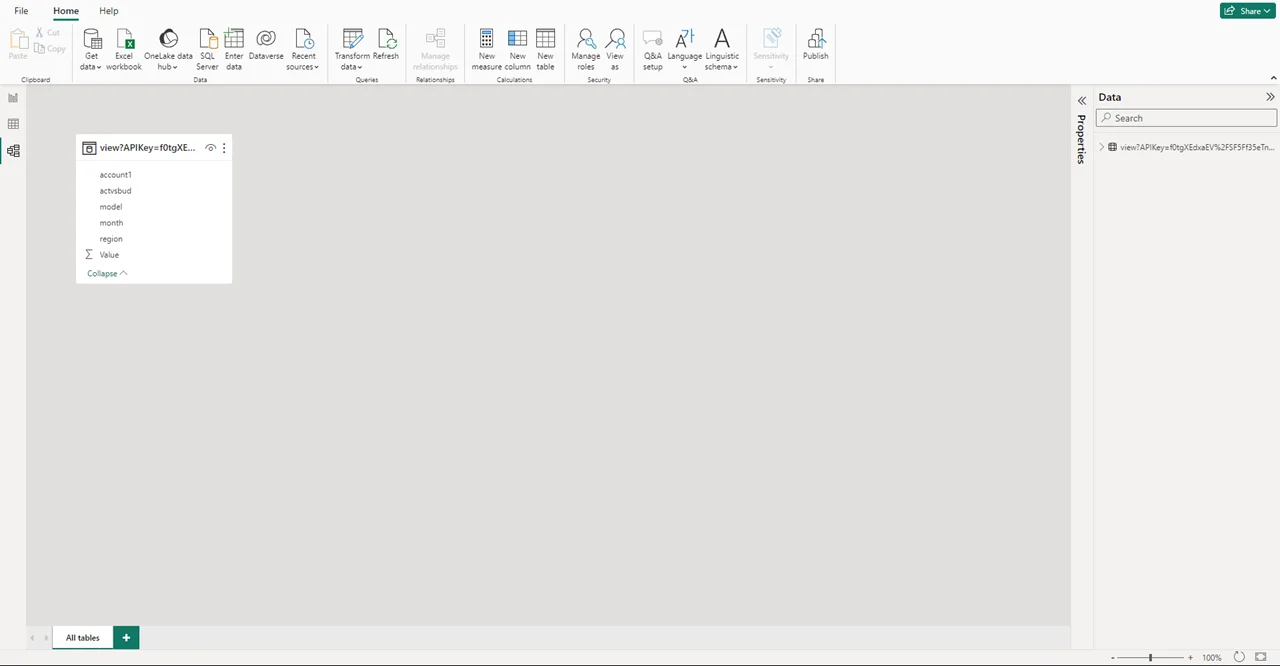
This is the loaded data in the model view. Note, there are no relationship links made yet.
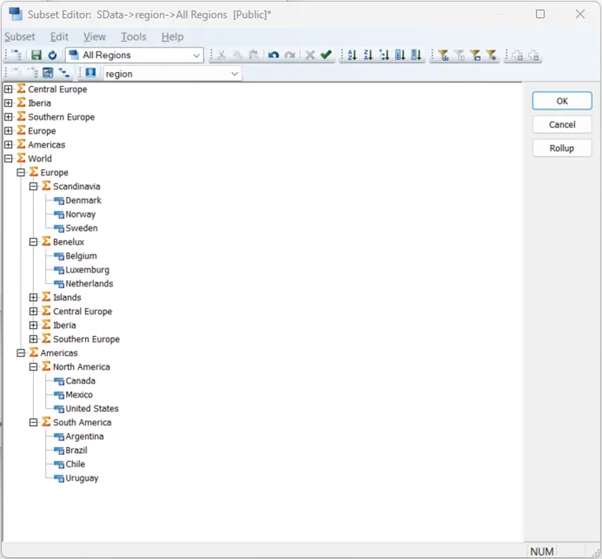
This is the region hierarchy we are trying to copy from TM1 to Power BI.
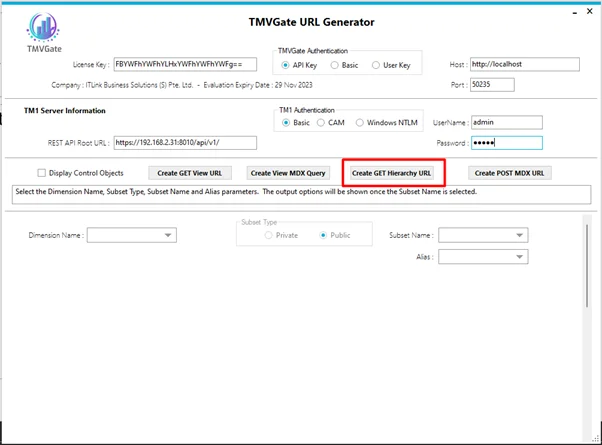
To bring the hierarchy data over to Power BI, open TMVGate, click on:
- “Create Get Hierarchy URL”
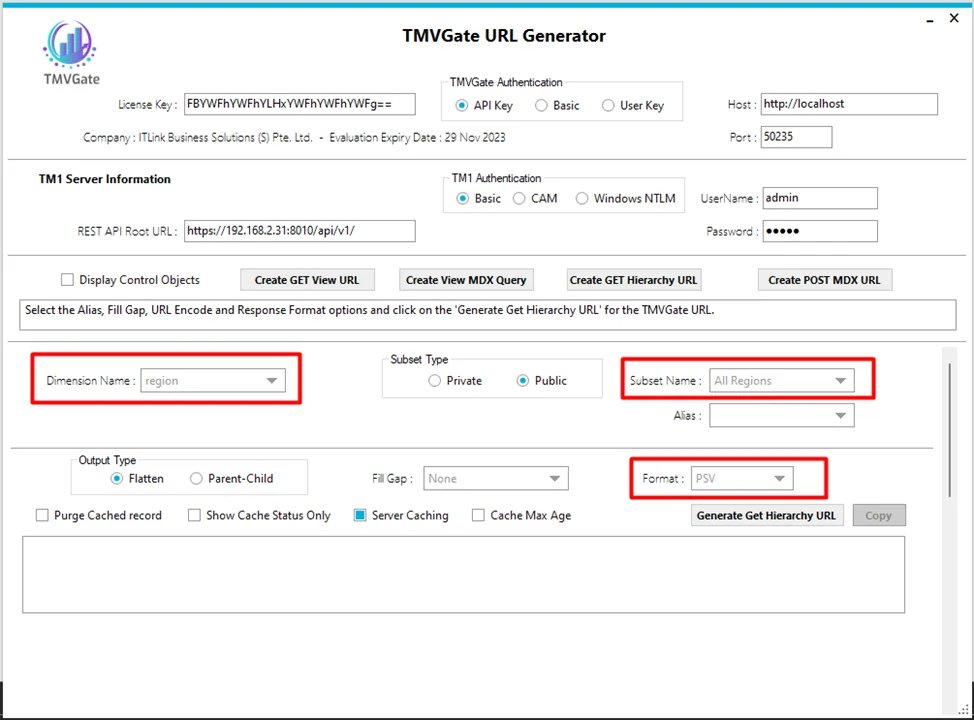
- Select desired “Dimension Name” and “Subset Name” from your TM1 data
- Select PSV as the “Format”
- Select “Generate Get Hierarchy URL”
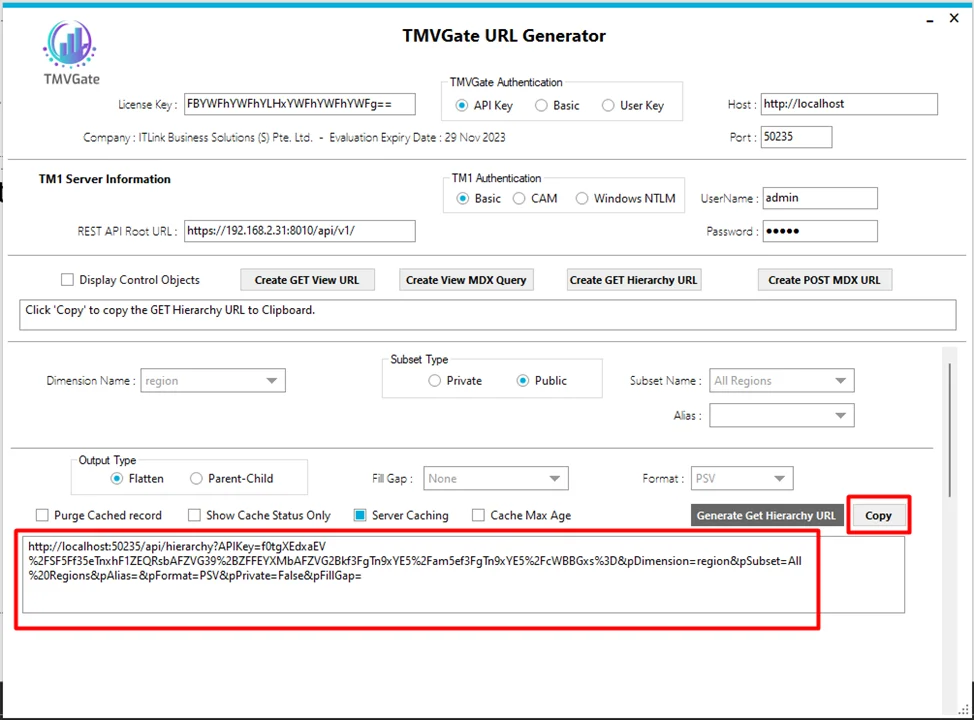
A URL is generated. Select "Copy" to copy the URL.
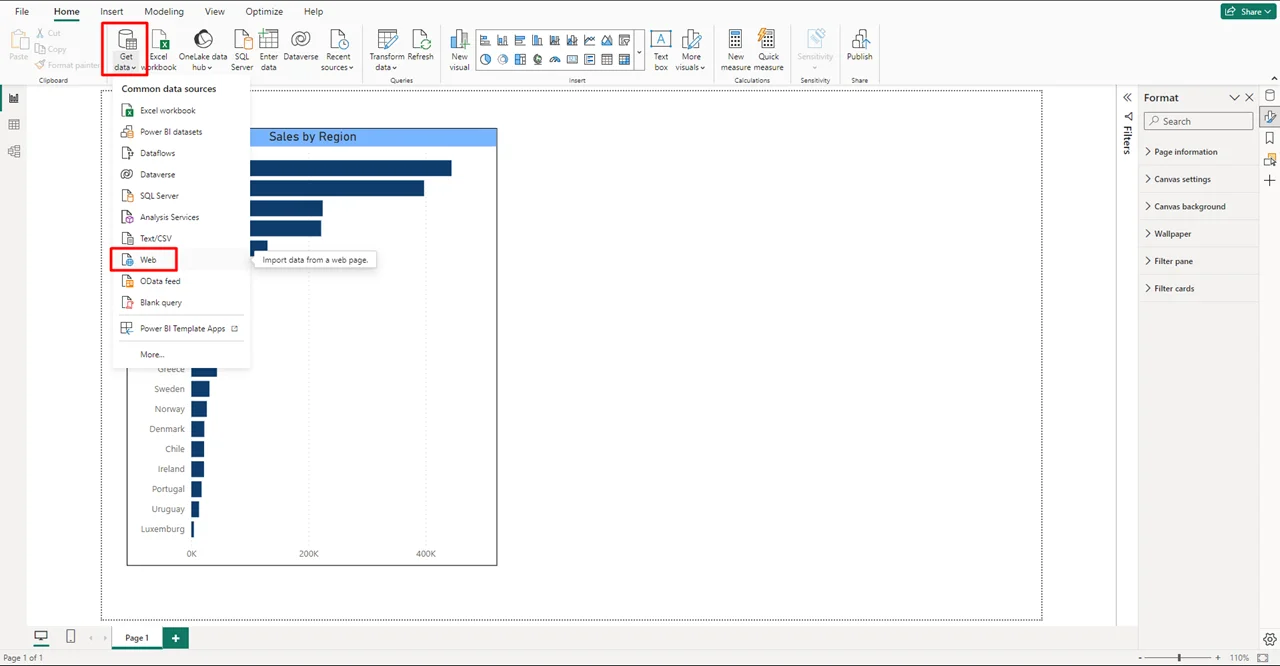
Back on Power BI, under the Home ribbon, select:
- “Get Data”
- “Web”
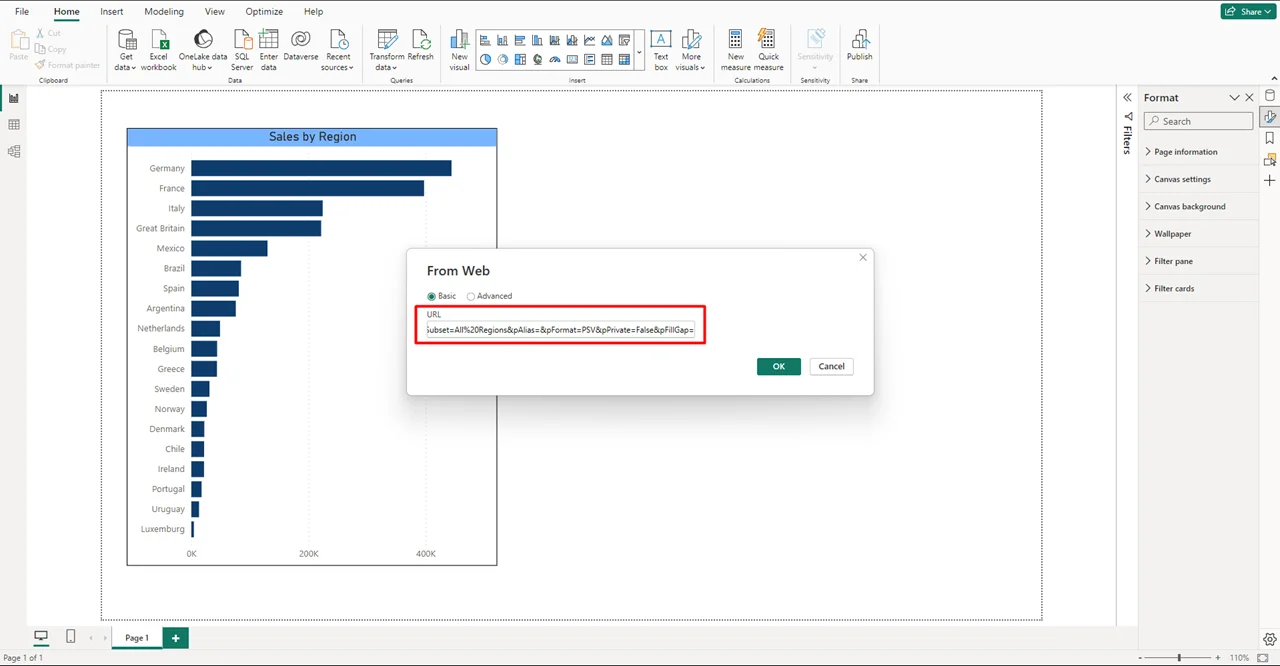
Paste the copied URL here and select “OK”
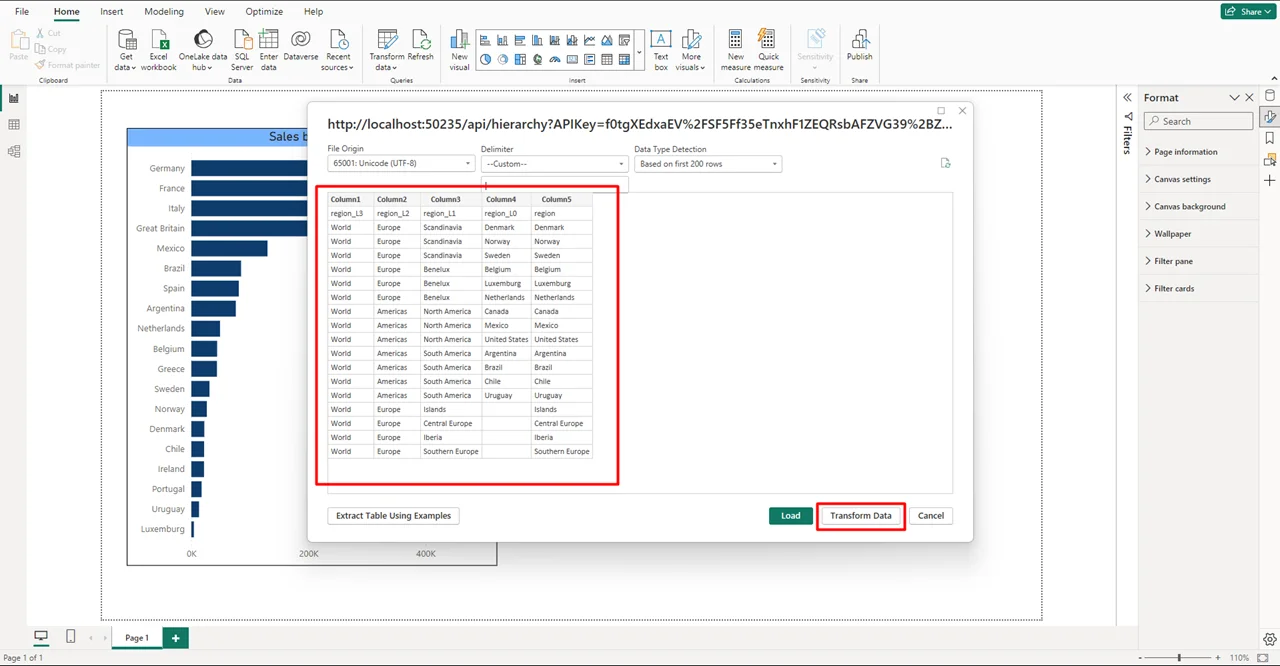
Preview of the loaded hierarchy data. Notice that the first row is incorrect, we will need to do slight transformation of the data.
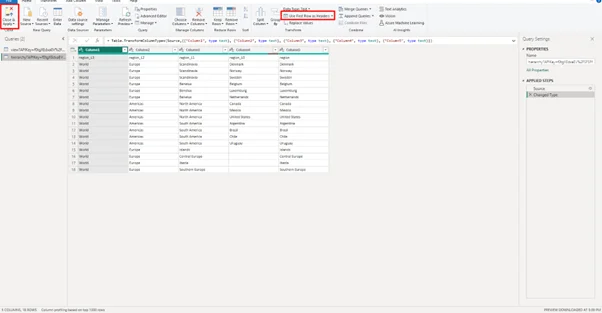
Select:
- “Use First Row as Headers”
- “Close & Apply”
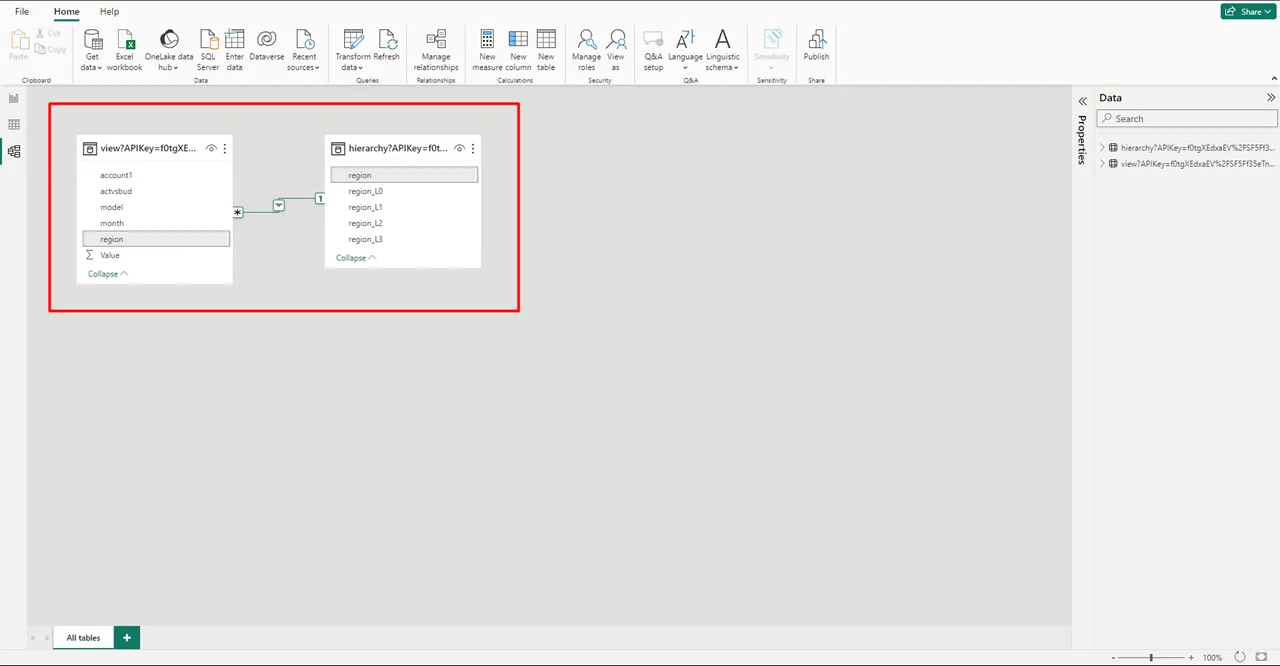
Back in model view, a relationship is automatically created between our existing data and the newly loaded hierarchy data.
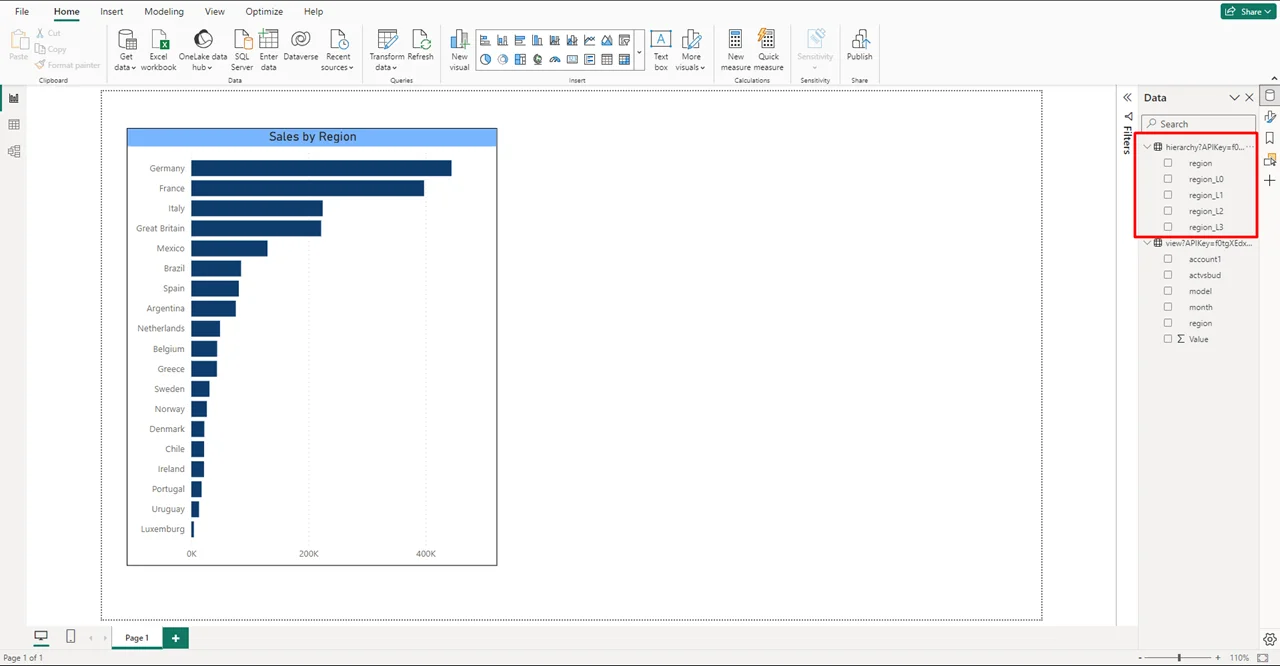
We need to create a hierarchy for our existing data.
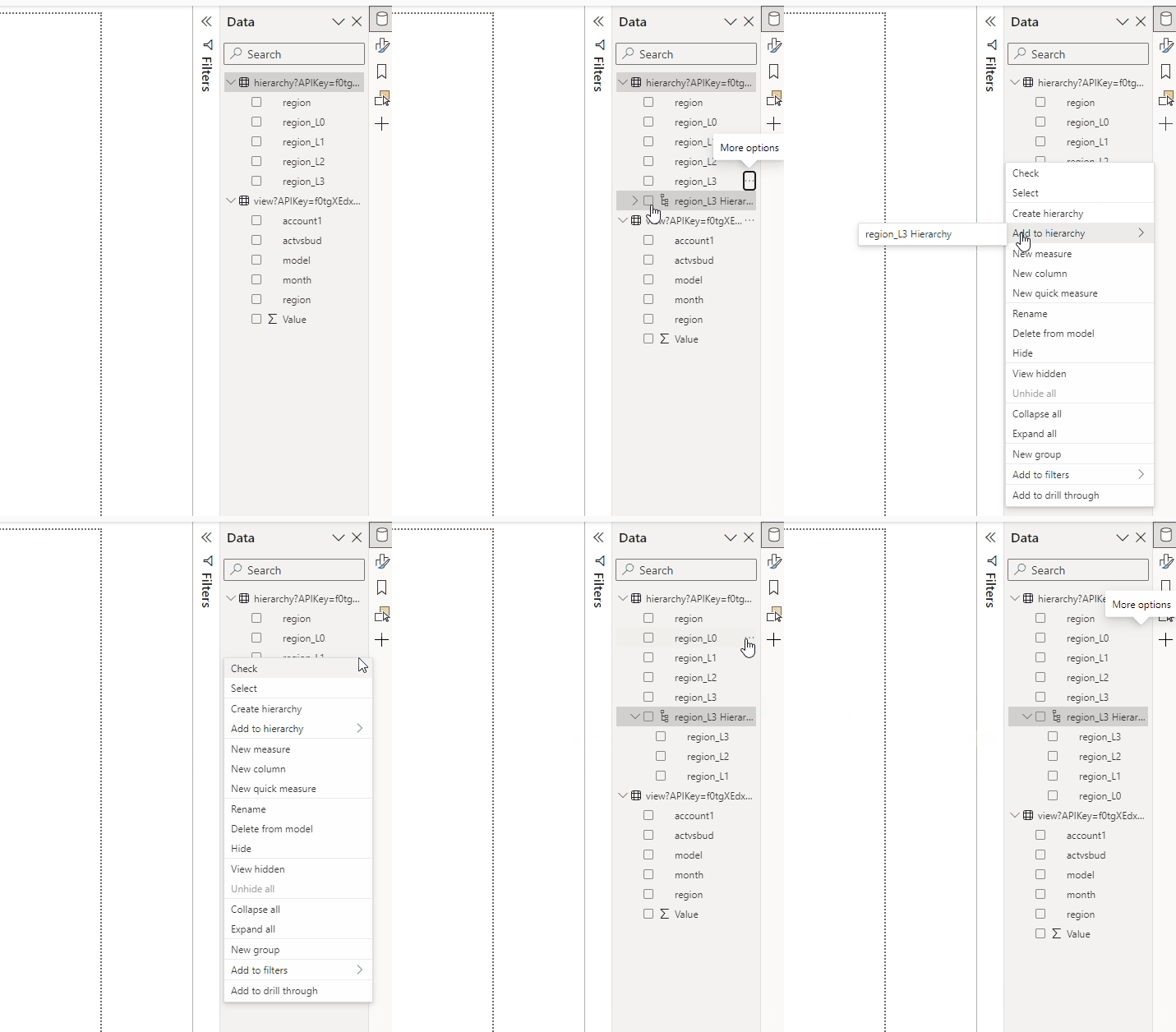
Creating the region hierarchy.
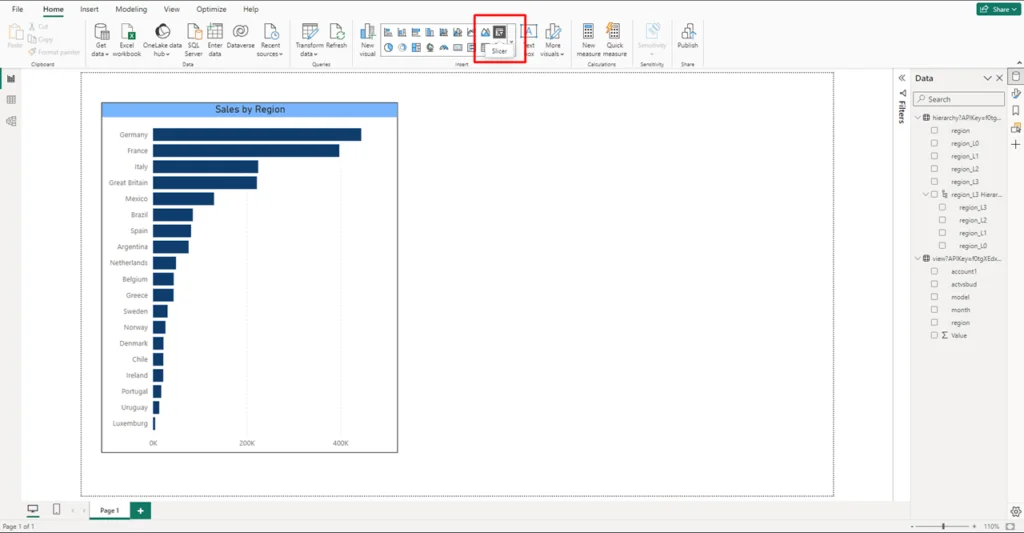
Insert a slicer.
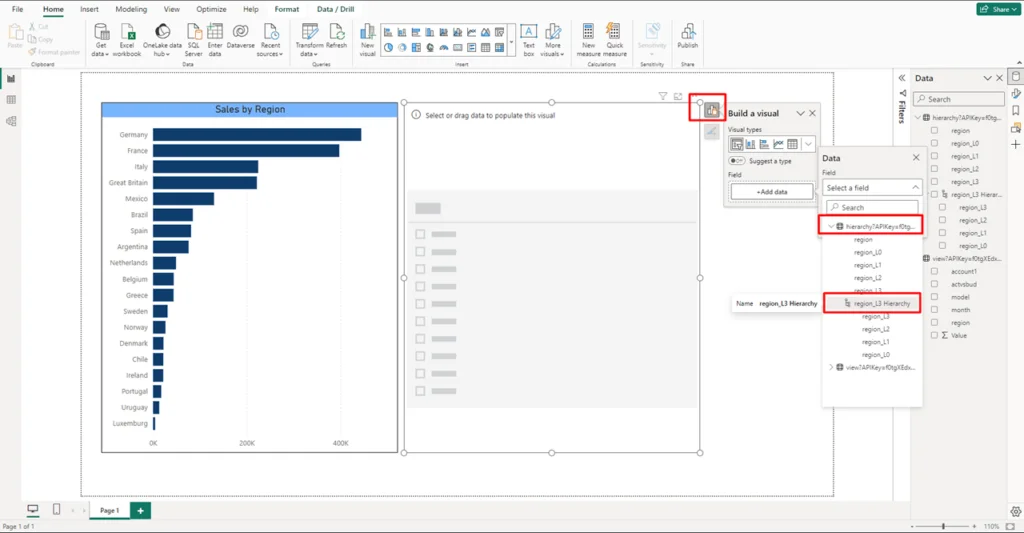
Add the region hierarchy to the slicer.
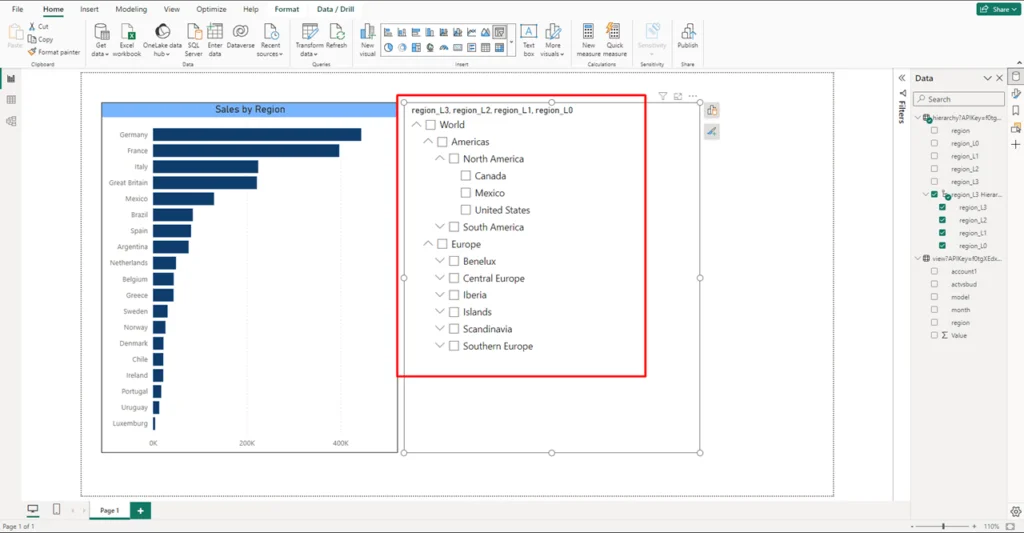
Observe the hierarchy is easily exported into the slicer.
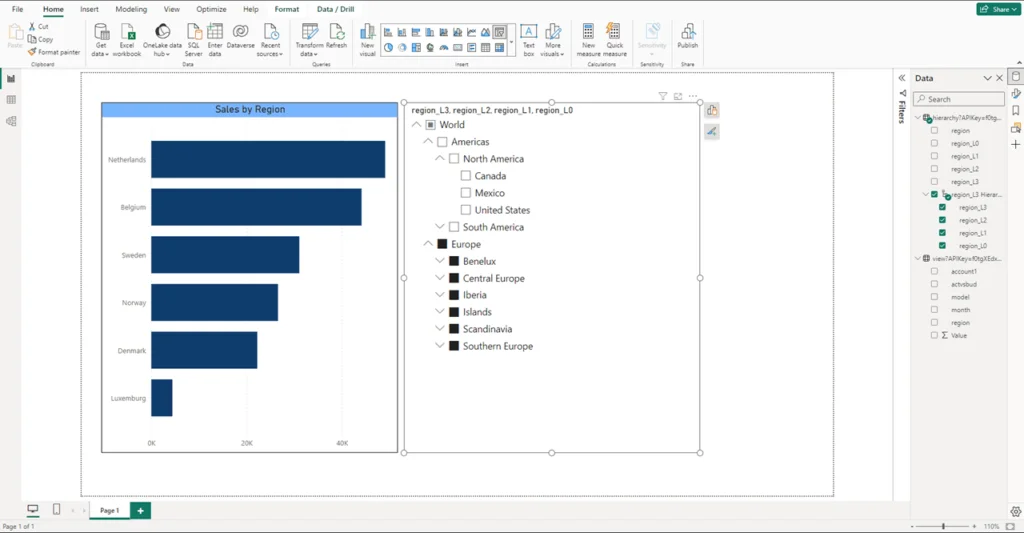
And there we go!
Further Considerations
- A secure and effortless implementation: TMVGate leverages a High-Performance Extraction Engine to extract data directly from TM1, without requiring additional resources or hardware. This allows for the straightforward export of data from existing TM1 cubes and views without the need for complex TI scripts. TMVGate maintains the integrity of your TM1 security structure ensuring all existing access control measures in TM1 remain in effect when you connect it with Power BI.
- Real-time connectivity and cost-effective ownership: Are you looking for real-time data updates? TMVGate has you covered. And with a lifetime license, you gain complete ownership and control, all while enjoying cost benefits.

Still fighting your Power BI reports?
We’ve helped Singapore finance teams turn slow, distrusted dashboards into reporting they rely on.

For more information or a free trial, contact us at info@itlink.com.sg
Don't miss our regular content updates! bookmark this blog to stay informed!



Ready to Speed Up Your TM1 Performance?
If you're facing the TM1 challenges discussed, ITLink's expert project services or ongoing support plans can help create lasting improvements.